Cvent Conference - Call For Papers
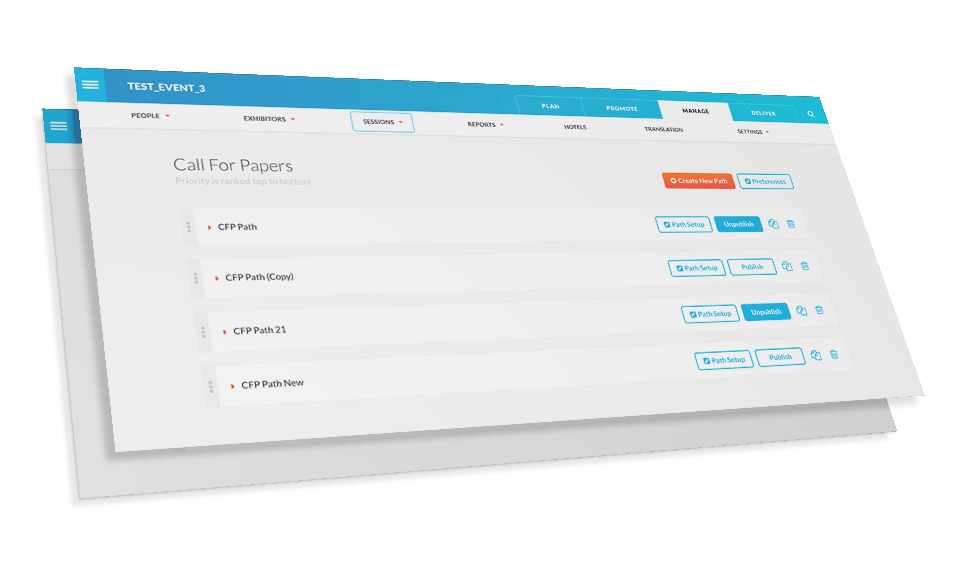
Project Description
Call For Papers, or CFP, is the registration process software for session speakers at Cvent Conference. CFP is used by a majority of clients to create specific questions, request files, and collect the required information from speakers in order to add sessions to an event or conference. The administration portion of this software is primarily setup by an event planner, a business analyst or specialist.
Discovery
Research and comparison of our existing products, along with customer feedback, and discussion with event planners and business analysts provided the information needed in identifying key issues with the current CFP configuration pages.
Key discovery issues were as follows:
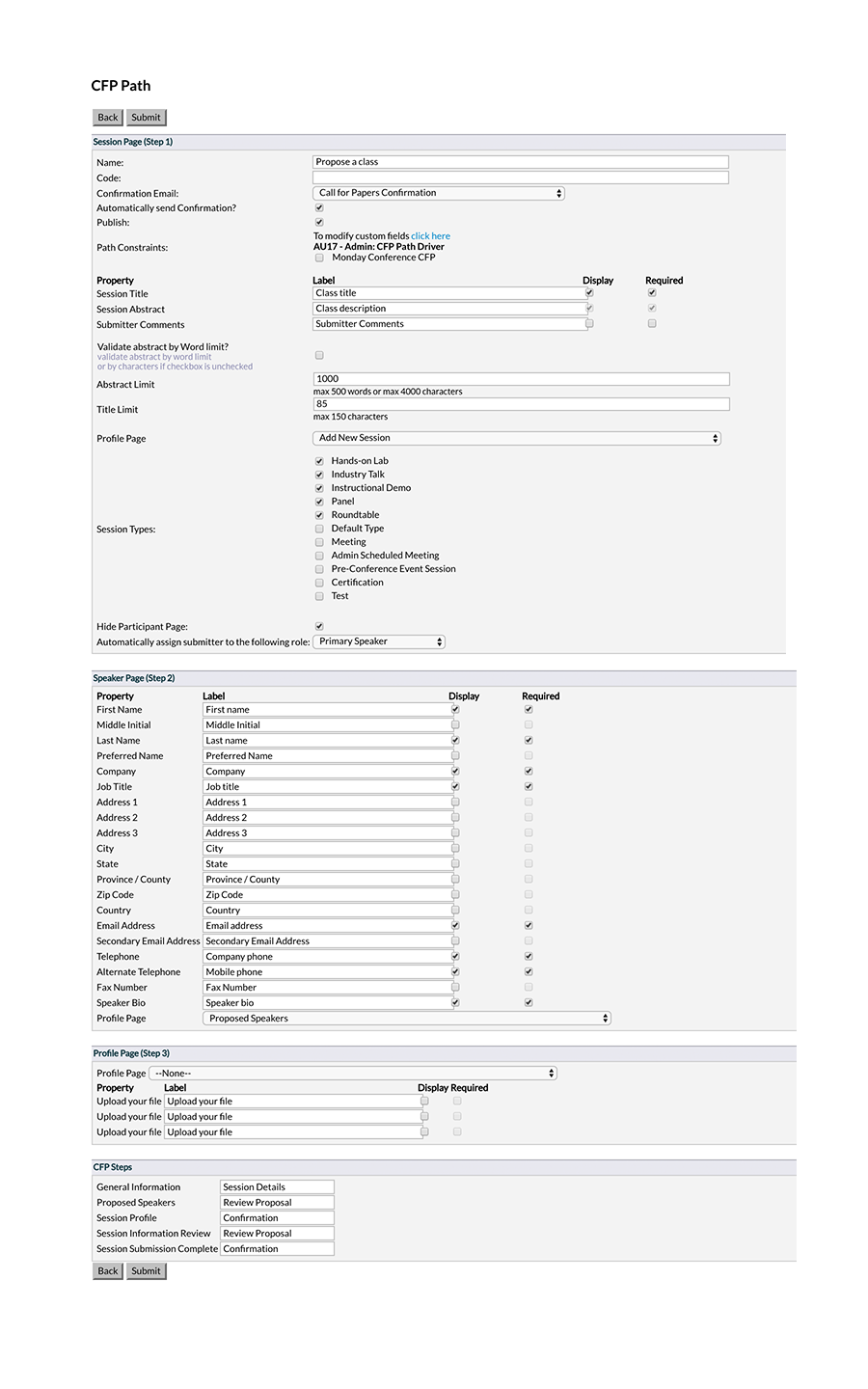
- The page was overwhelming as it contained all of the CFP event registration path setup and settings.
- Section content was unable to be altered, customized or adjusted in any way.
- The form elements in each section were static and included very limited customization options.
- There was no visual representation of the CFP path steps, forms or page layout.
Strategy
The most obvious first step was to reduce the amount of information that a planner would need to look at while setting up each step of the registration process. It was decided to separate each step into different pages.
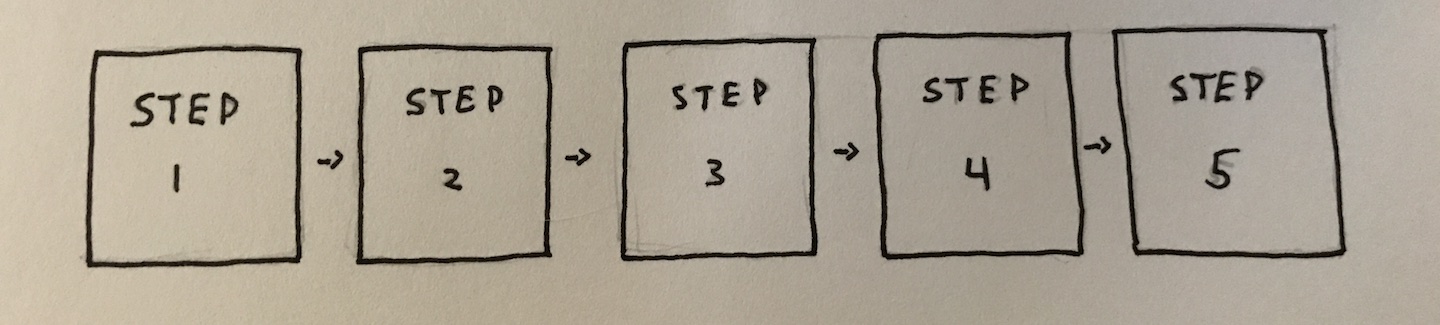
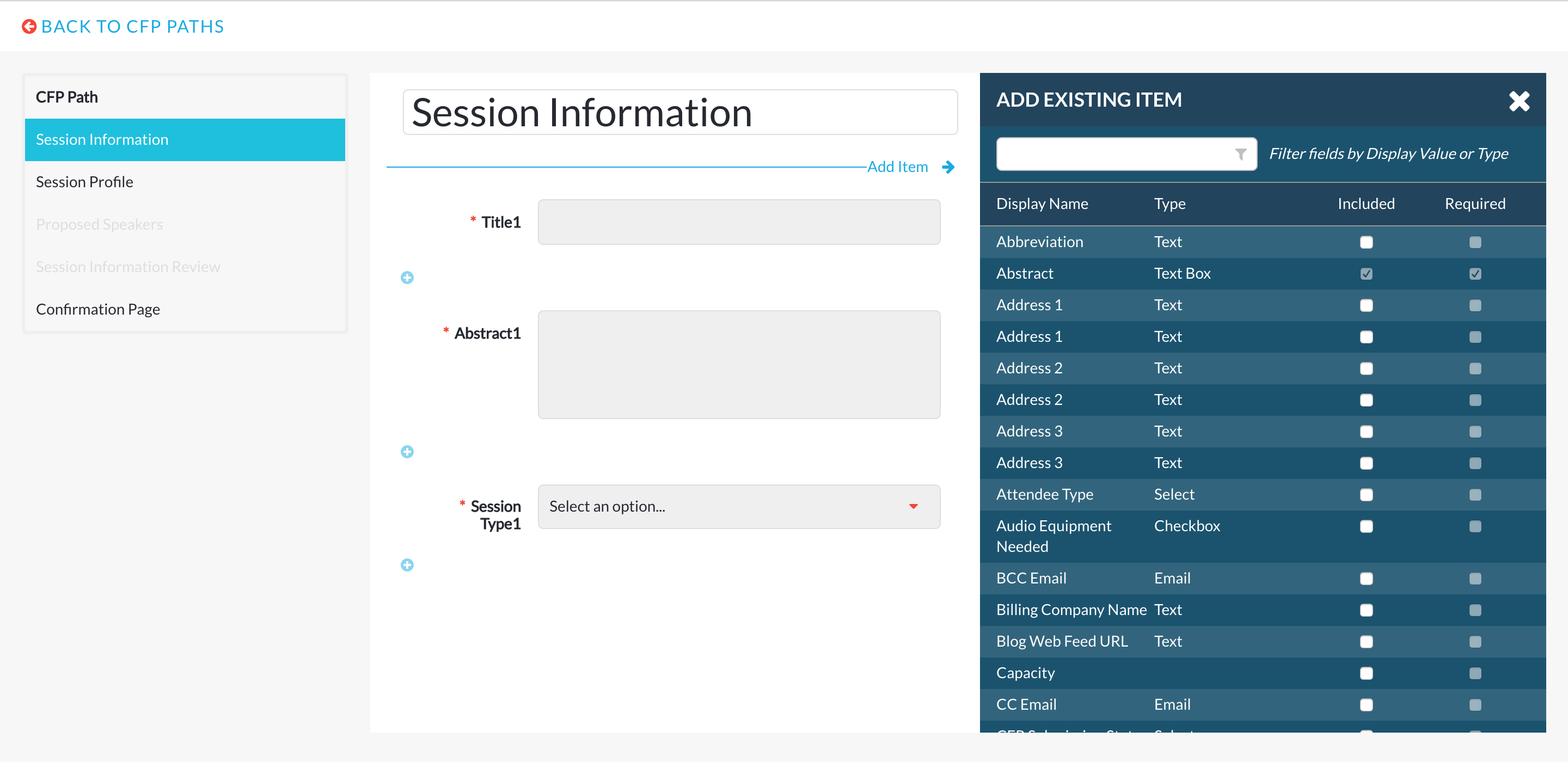
To effectively use each new page it was important to make them as customizable as possible. With the ability to add and remove any form element in the order chosen, a planner could create a custom experience for their event.
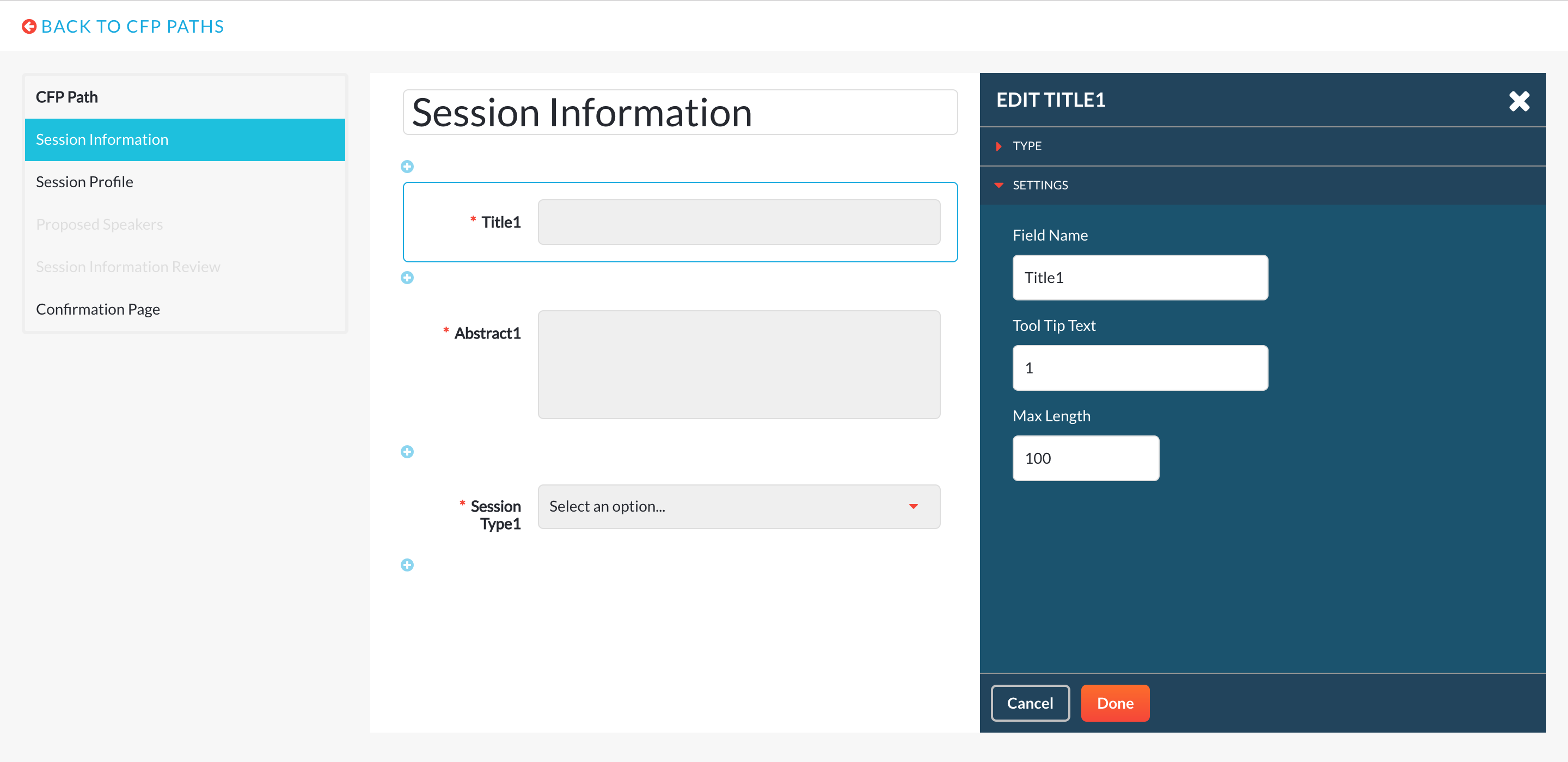
Introducing the ability to edit form elements, their labels, input types, and additional settings would allow even further expandability for each step in the registration process.
Sketches
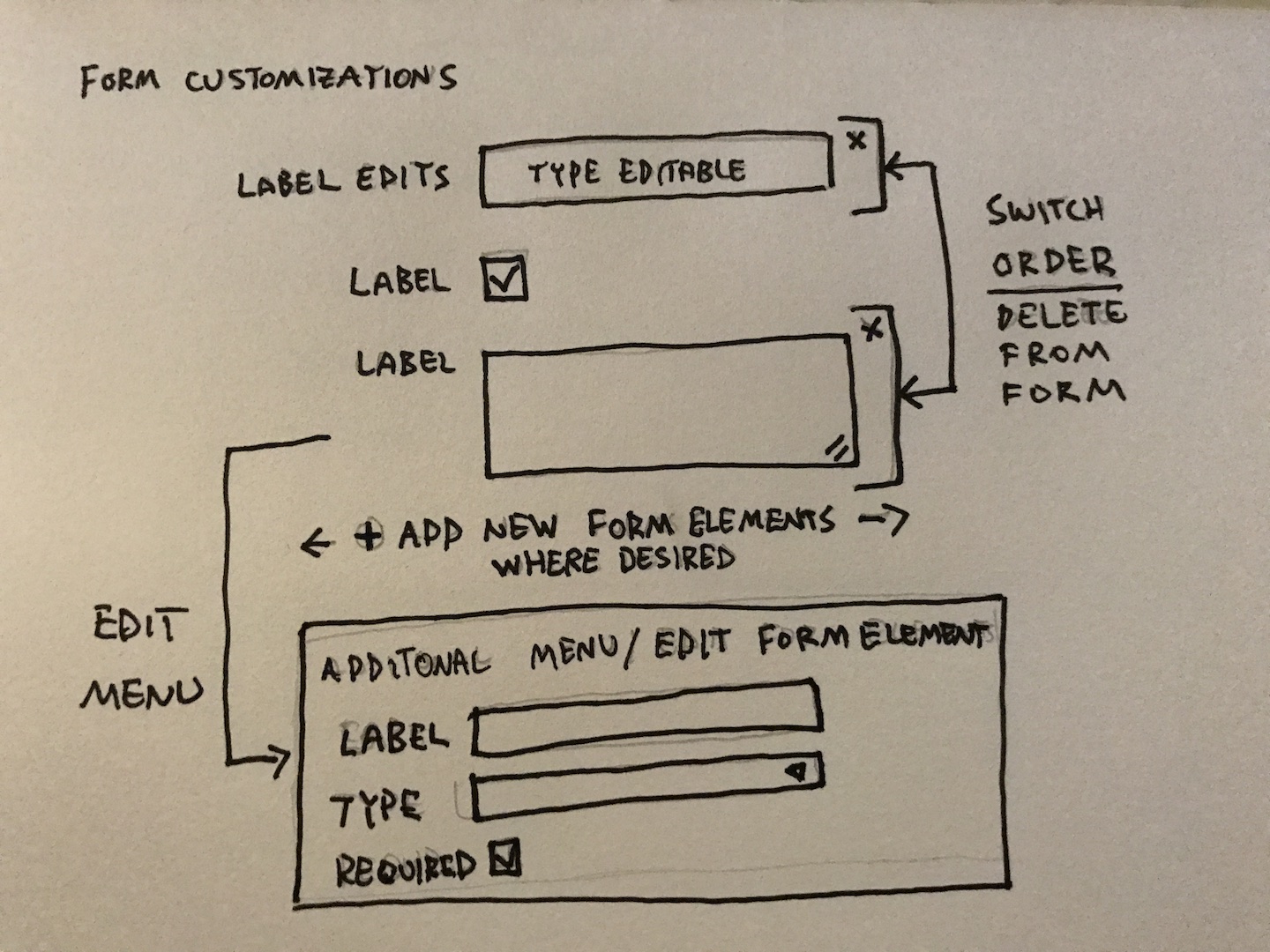
After the strategy was clear I began with some basic user flows and diagrams to establish the basic structure of the design. I sketched out some basic page layouts and element placment. I included notes for transition effects, menus and other ideas.
Design Challenges
- Creating a new interface while maintaining design consistency with other sections of the administration application.
- Presenting the registration form and elements visually to the planner and allowing full functionality in customizing the registration path and steps.
- Organizing the data in a way that made sense for each CFP path, step, form and form element.
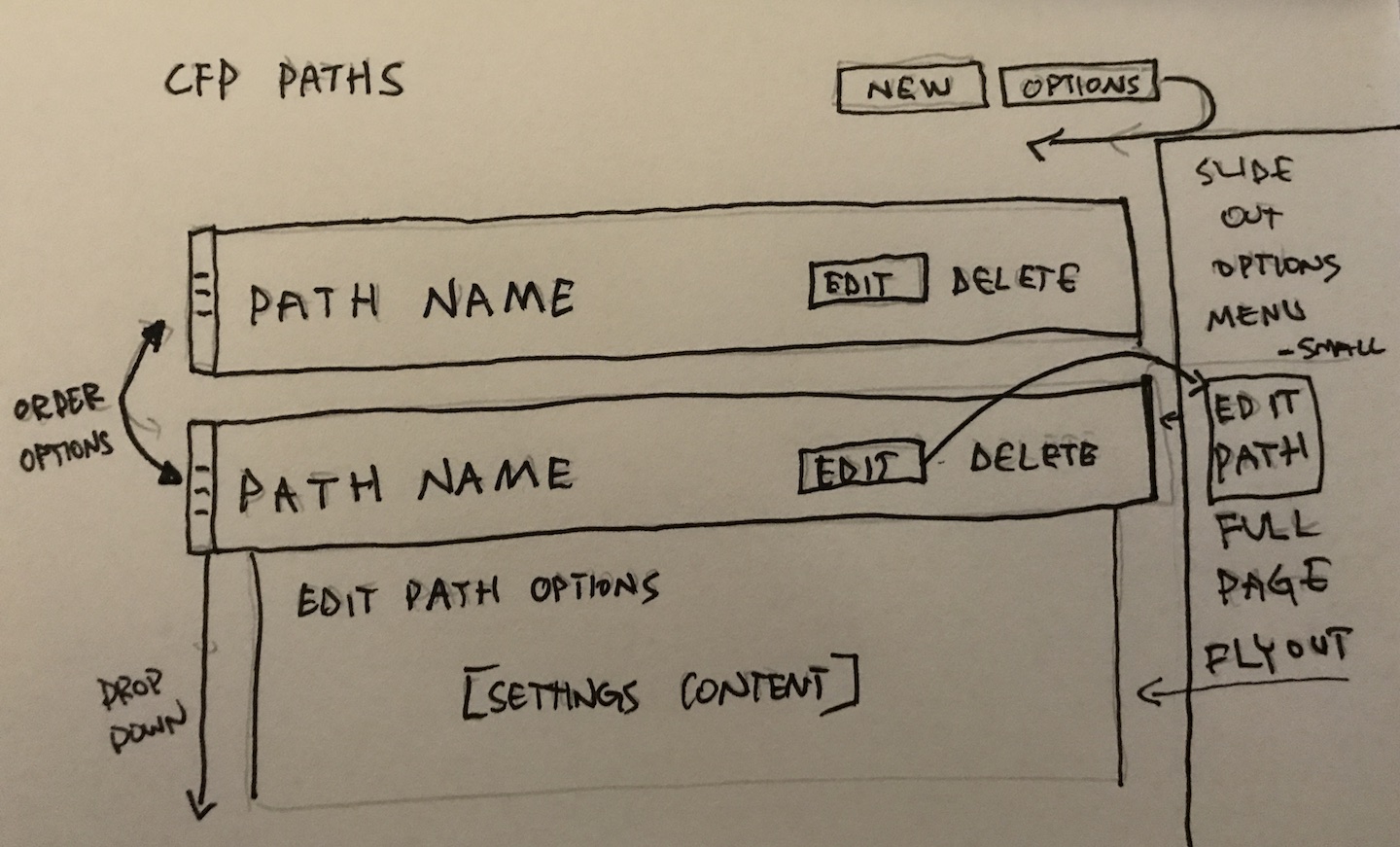 form element customization options
Wireframes
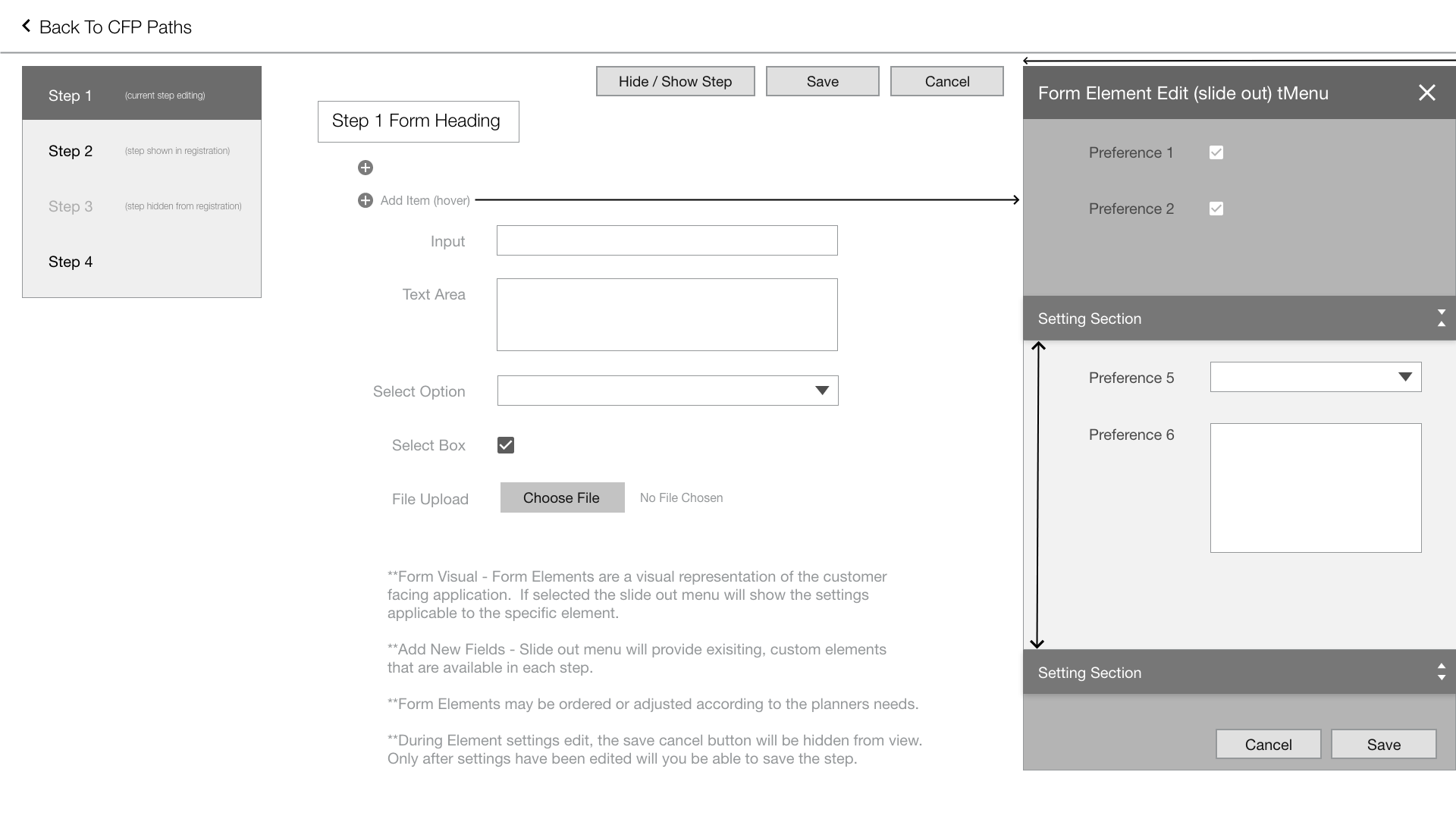
Using my notes, sketches and diagrams I created low resolution wireframes and built some basic prototypes for testing and design iteration.
Through initial testing we found a few troublesome design points that needed to be adjusted. One issue in particular revolved around how the CFP path step was being shown or hidden in the customer facing registration. The first iteration placed checkboxes on each steps navigation tab and did not include appropriate visuals or meet branding guidelines.
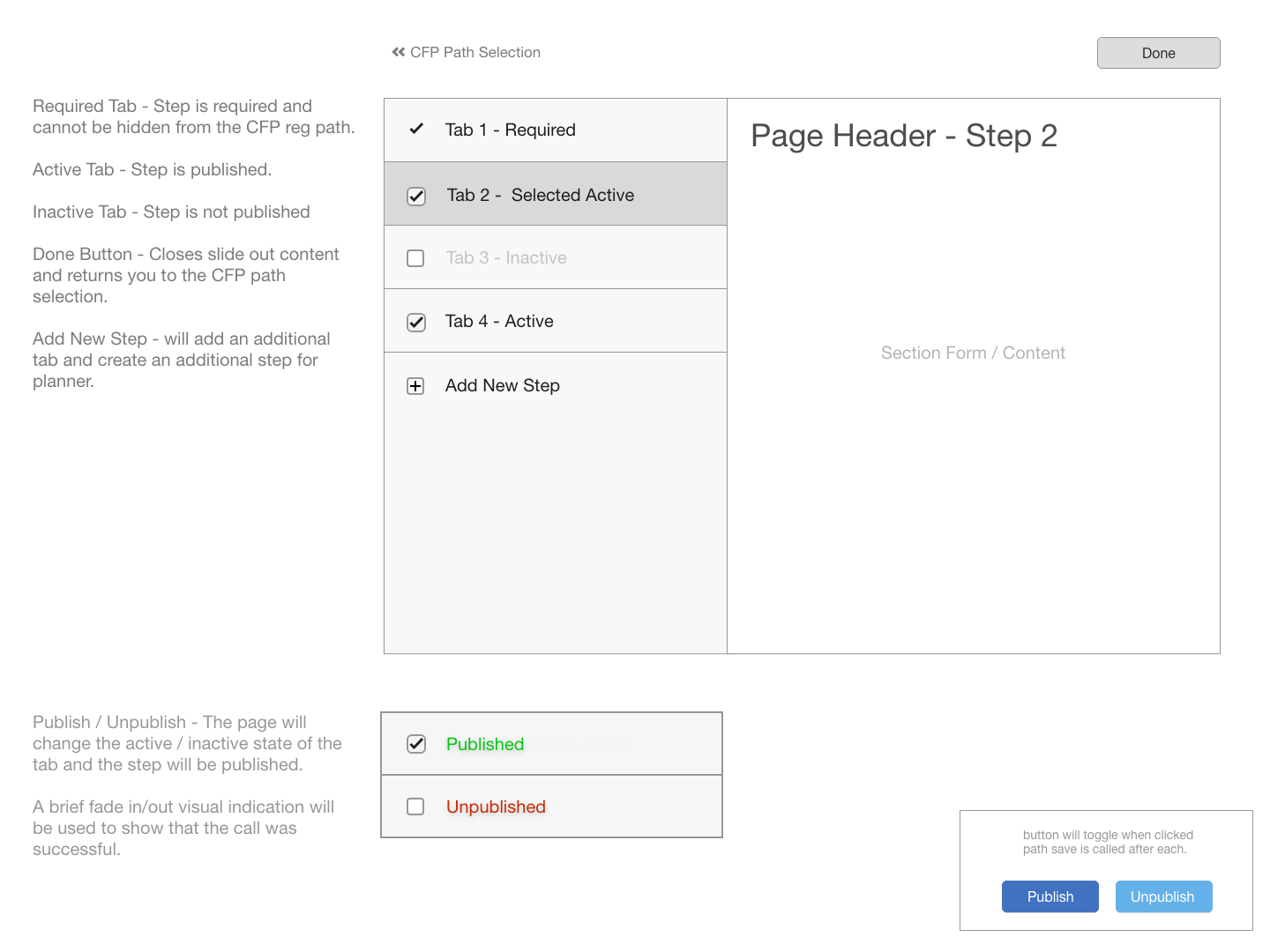
In the second iteration, I removed the checkboxes completely, created a toggle button with the appropriate text for brand consistency and moved it directly onto the step it affected. This was done to remove confusion and give better visual queues that the page was shown or hidden from the registration path.
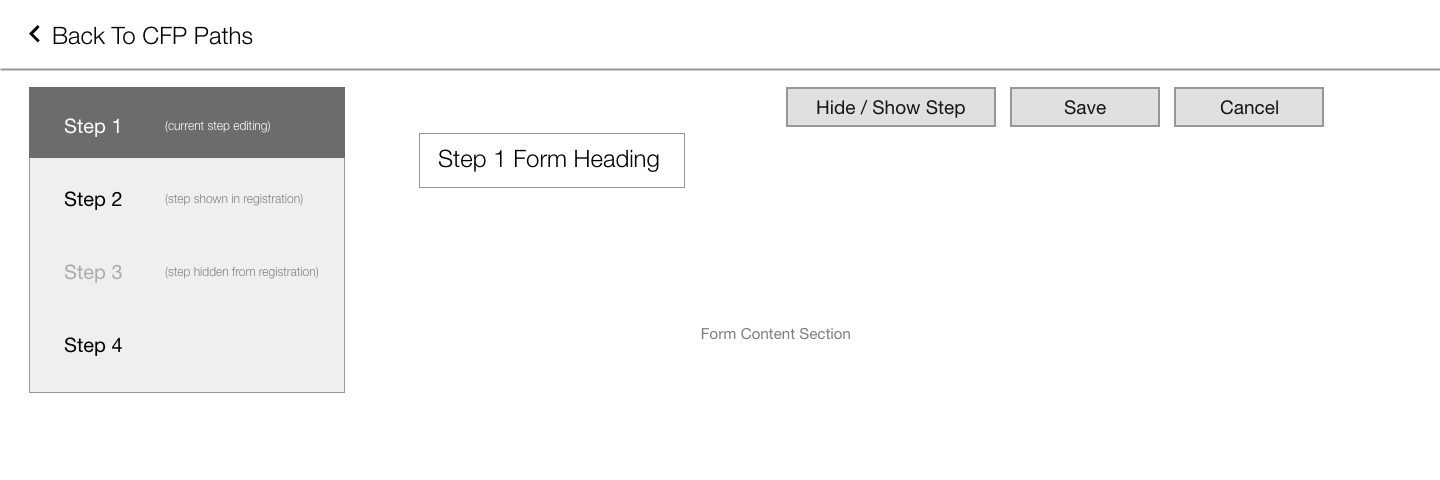
Through testing and several design iterations the final wireframes met all of the criterea for the project.
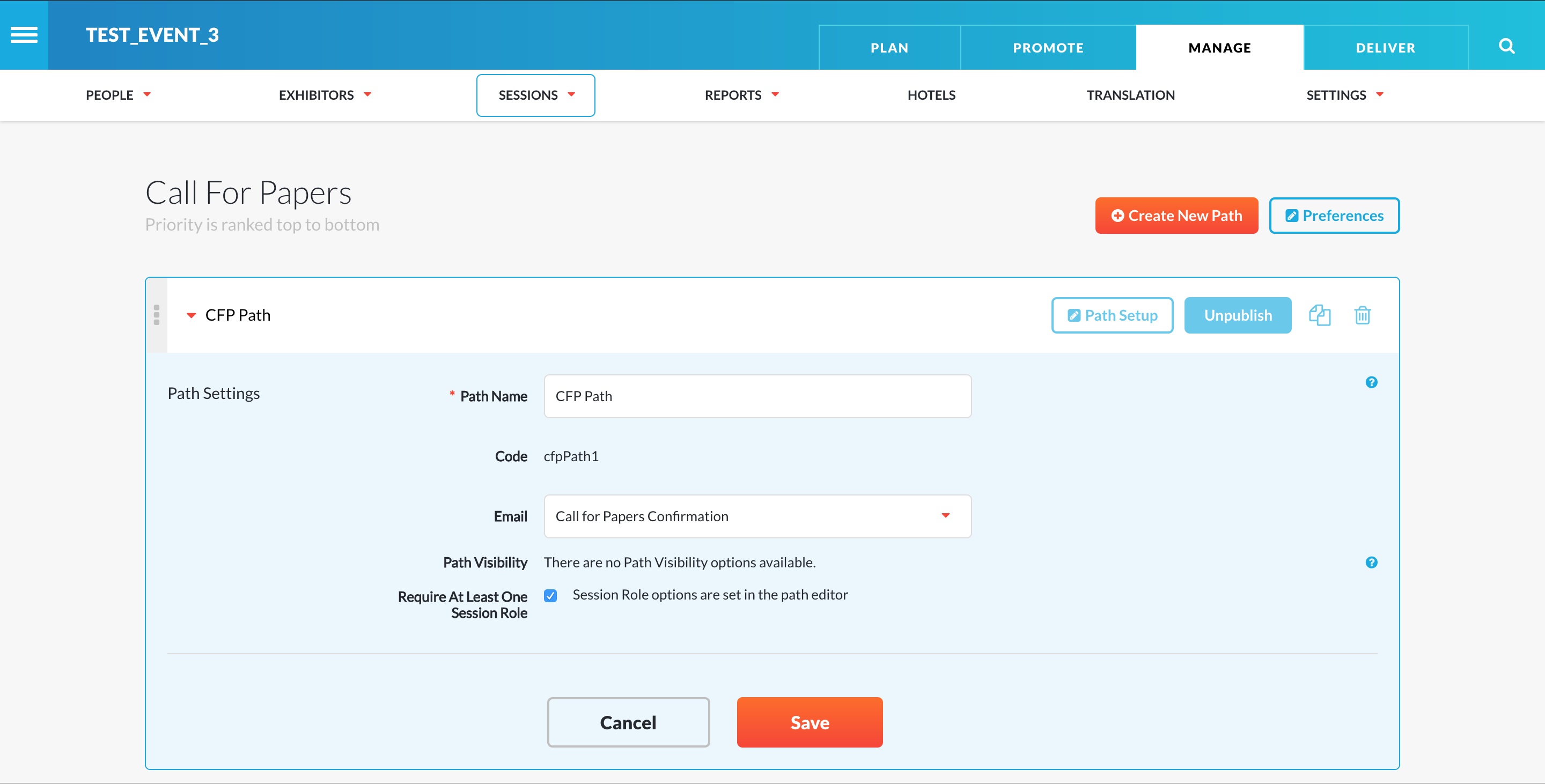
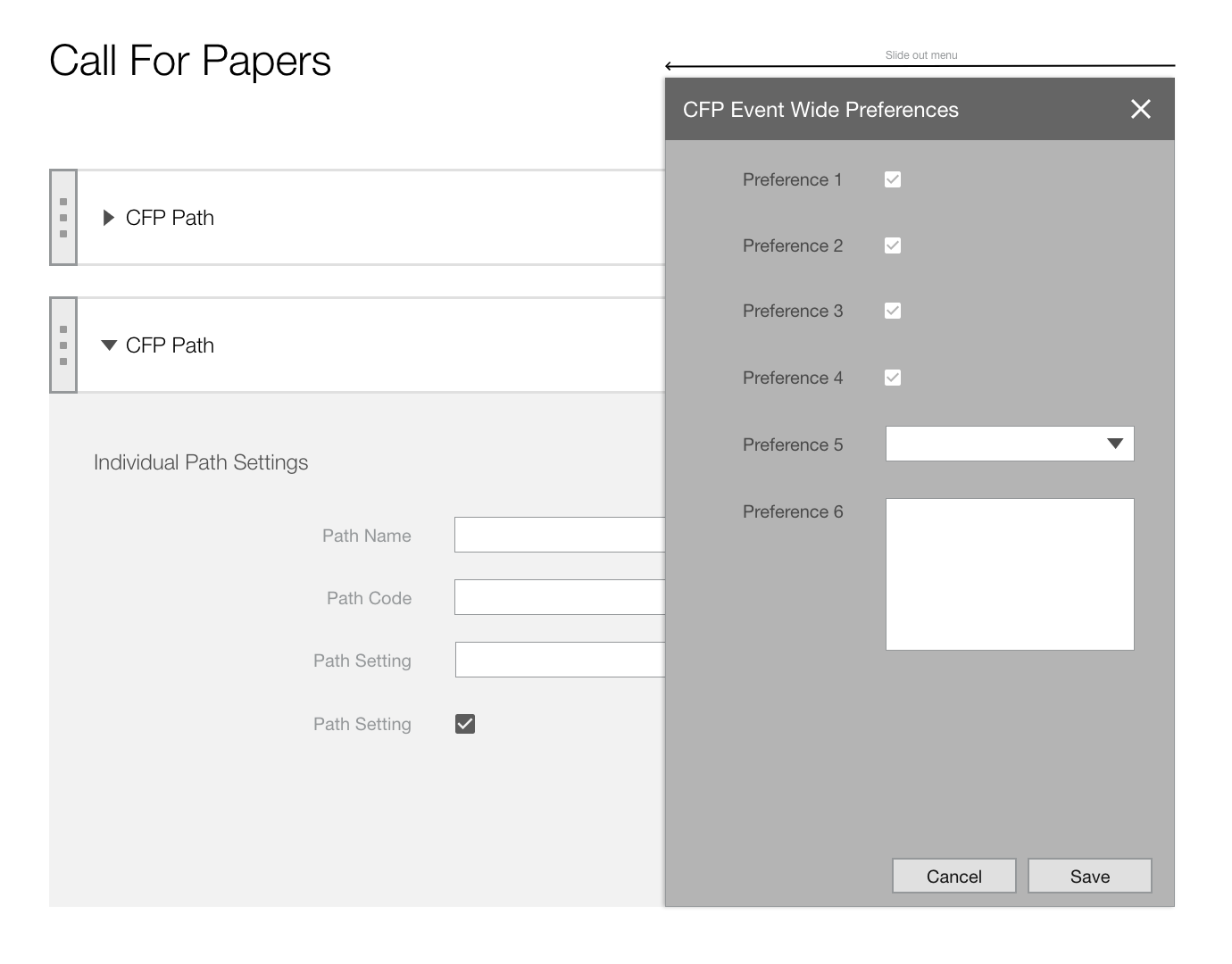 CFP Individual Path Settings
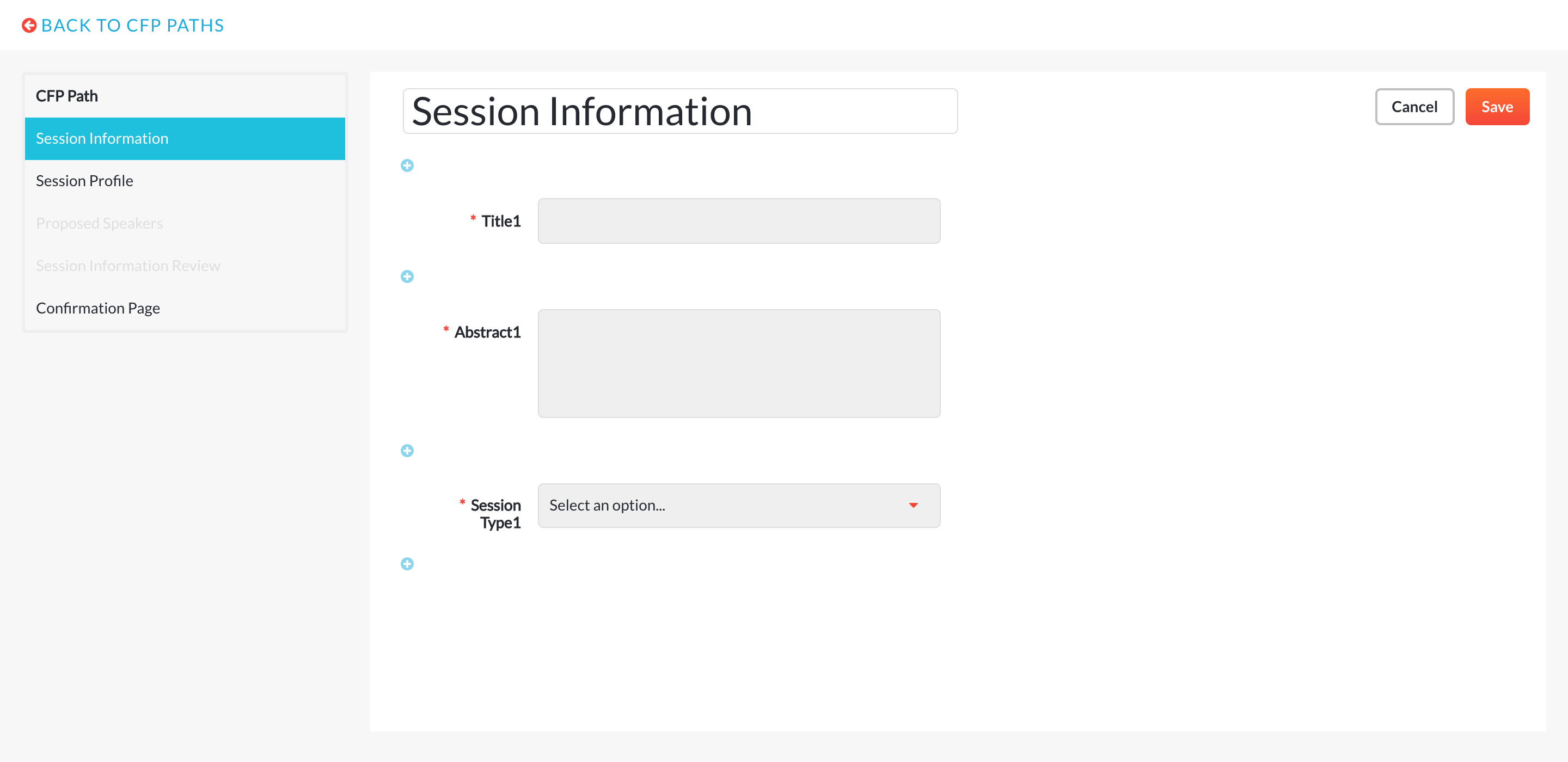
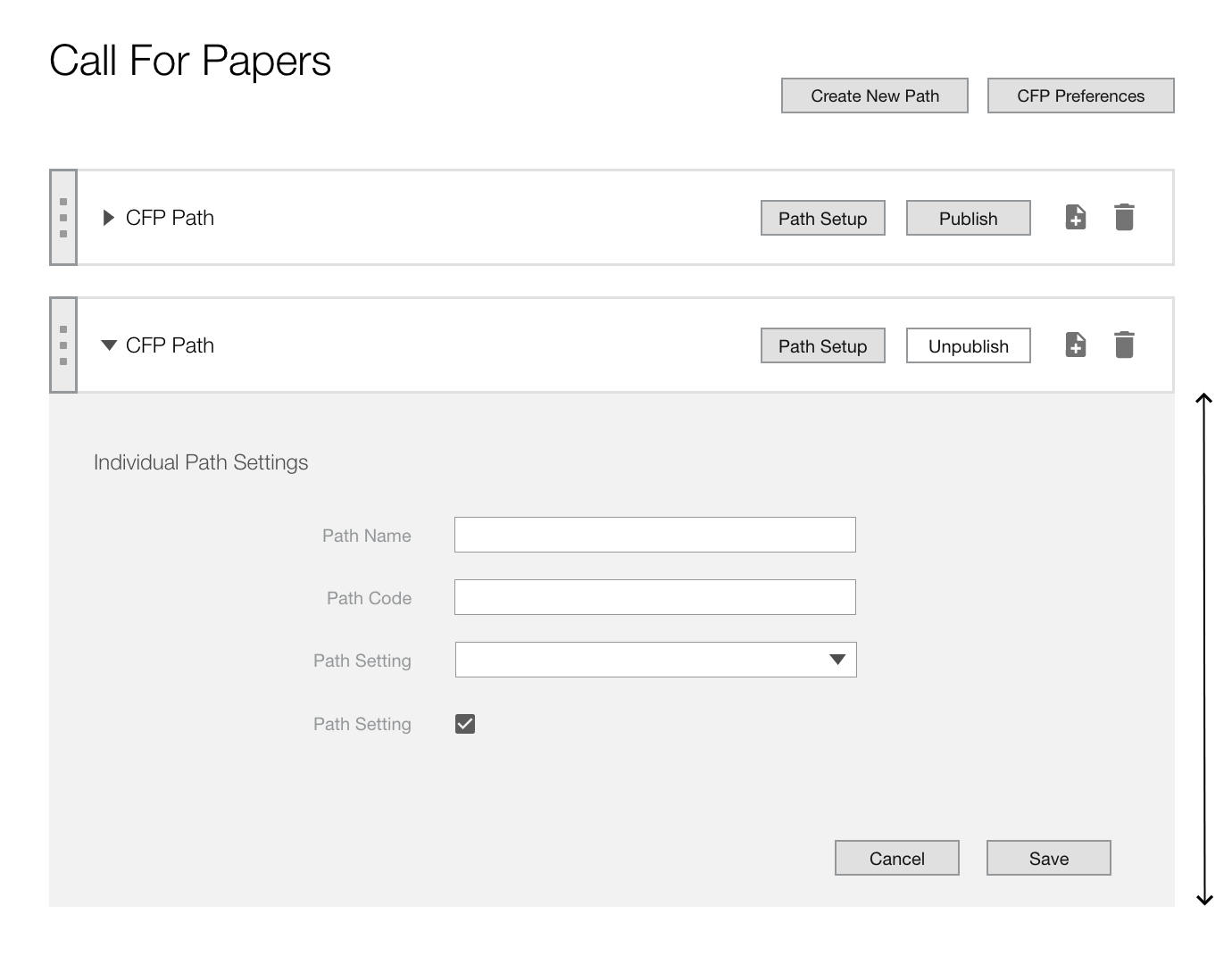 CFP Path Steps Setup
Finished Designs
Using the company branding guidelines I was able to finalize my designs of the new CFP administration software tool.
 CFP Event Preference Settings
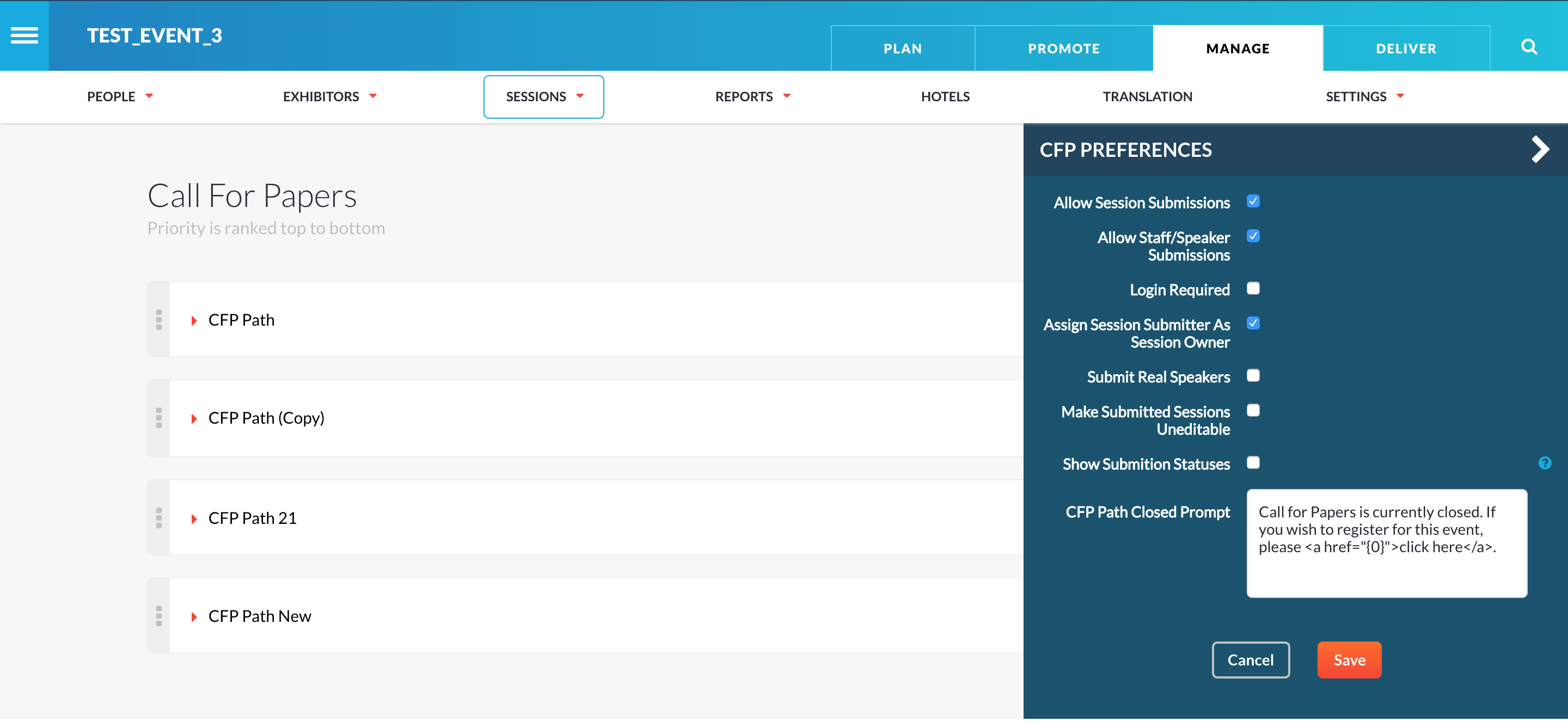 CFP Individual Path Settings
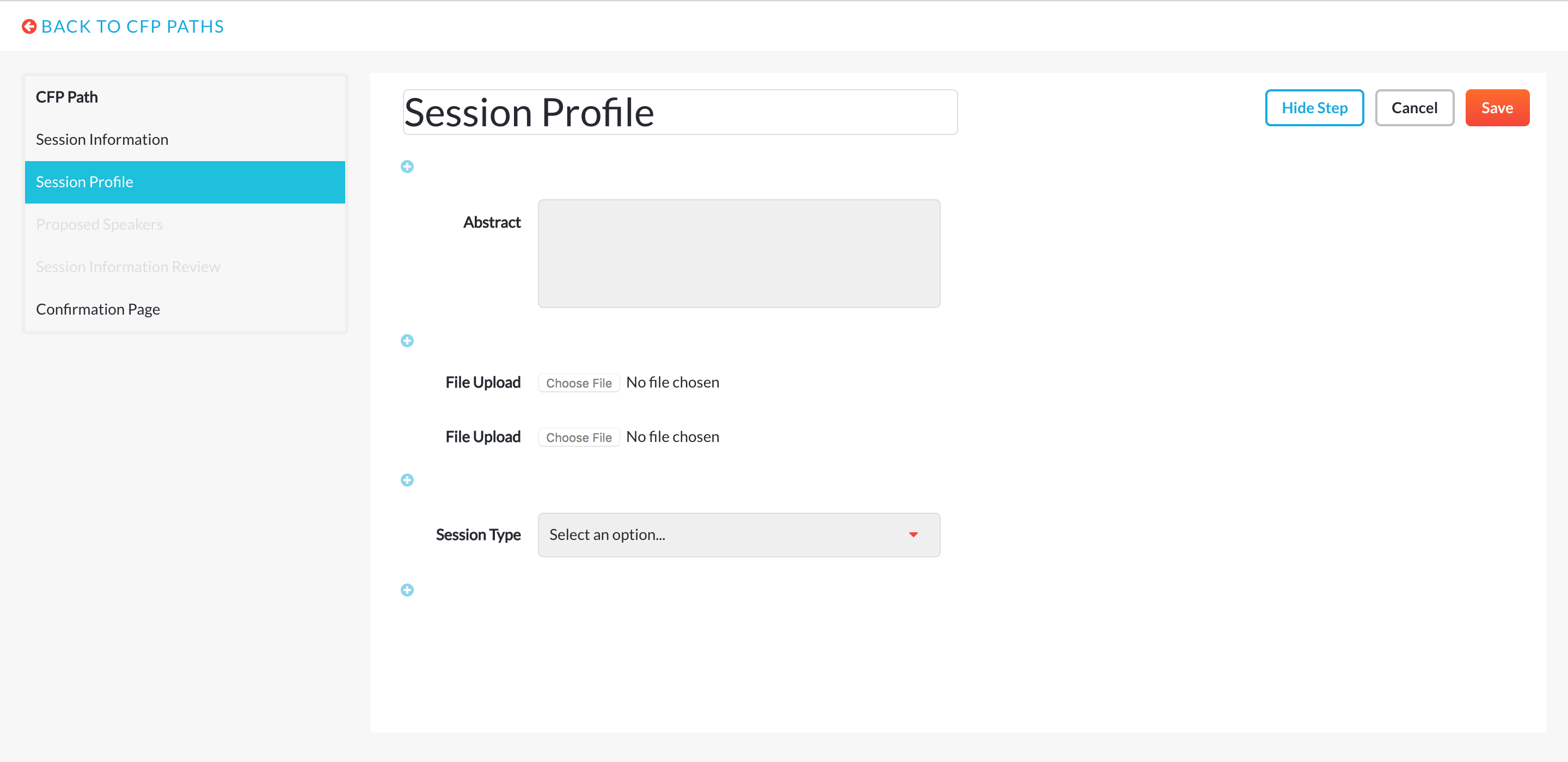
 CFP Path Step 1
 CFP Path Step Add Existing Custom Field
 CFP Path Step Edit Form Field Element
 CFP Path Step 2 - File Upload - Hide / Show Step